Views: 0 Author: Site Editor Publish Time: 2026-08-12 Origin: Site
Field splicing environments expose equipment to harsh physical realities daily. Dust storms, extreme temperatures, and precarious aerial buckets test gear constantly. Laboratory specifications rarely account for these unpredictable outdoor conditions. You need equipment built for reality.
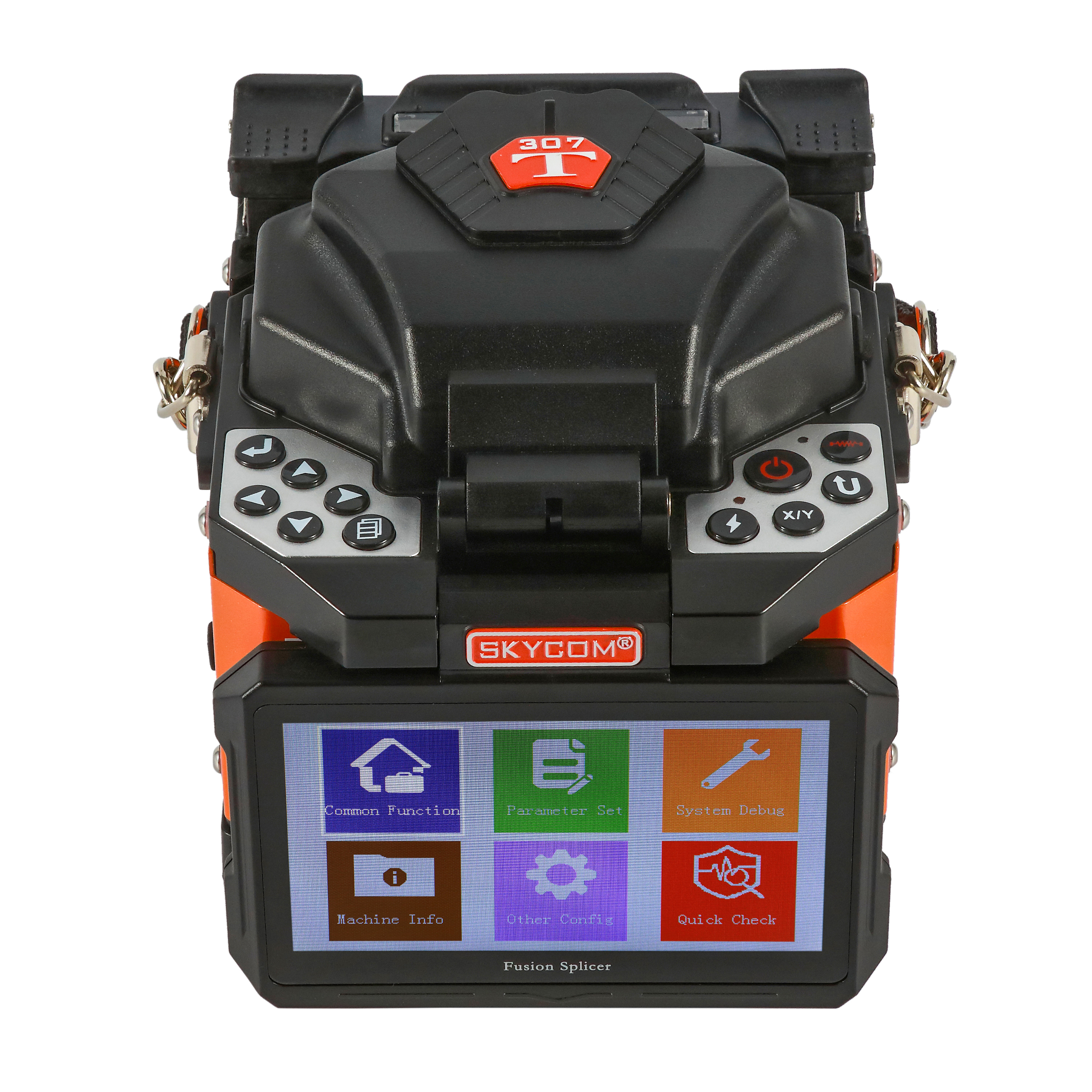
Selecting a portable Fiber Fusion Splicer requires a delicate balance. You must weigh optical precision against ruggedized hardware. Daily operational efficiency matters immensely in the field. A mismatched tool causes massive signal loss and frustrating project delays. Poor equipment choices inevitably lead to failed loss-budget audits.
This guide breaks down the critical technical thresholds you must evaluate. We explore real-world durability checks and hidden performance factors. You will learn how to bypass standard marketing hype. We provide clear steps to shortlist the perfect machine for your deployment.
Alignment dictates application: Choose Active Cladding for standard FTTx deployments and Core Alignment for long-haul/backbone networks to ensure acceptable loss budgets.
Durability over bench speed: In-field efficiency relies more on battery capacity, screen visibility, and IP-rated ruggedness than sub-second specification differences.
TCO goes beyond the sticker price: Factor in electrode lifespan, calibration requirements, and the quality of the included fiber cleaver before purchasing.
Workflow efficiency: Automated wind protectors, fast tube heaters, and toolless electrode replacement directly impact a technician's daily splice yield.
Assess your primary network architecture before evaluating hardware specifications. A mismatched device either drains resources or fails audits. You cannot use a one-size-fits-all approach. Equipment must align perfectly alongside your specific environment.
Fiber-to-the-home deployments demand high volume output. Technicians cover shorter distances daily. They move rapidly from utility poles to residential structures. You should focus heavily on portability here. Fast boot times keep crews moving quickly. Lightweight form factors reduce physical fatigue over long shifts. Handheld units excel in these tight spaces. They strap easily to utility belts. A dedicated FTTH Fusion Splicer typically strips away unnecessary bulk. It prioritizes speed during continuous drop cable installations. GPON and XGS-PON architectures generally accommodate slightly higher loss budgets, making rapid splicing acceptable.
Backbone connections involve incredibly high stakes. These connections span massive distances between major cities. They carry dense wavelength-division multiplexing (DWDM) traffic. They require ultra-low splice loss. Advanced core profiling becomes an absolute necessity. Environmental stability matters most. Technicians usually work inside large splicing trailers. They handle delicate ribbon cables or dense single-mode fibers. The equipment must deliver perfect optical precision every single time.
Minimize Remakes: The unit must deliver a passing splice on the first attempt 95% of the time.
Survive Drops: The chassis must survive a standard 30-inch fall from a work table.
Full Shift Autonomy: The battery must easily complete an entire 8-hour shift without recharging.
Common Mistake: Buying heavy backbone equipment for residential drop crews. The extra weight slows technicians down and drastically increases physical fatigue.
Understanding alignment technology prevents costly procurement errors. You must match the internal mechanism to your project requirements.
Cladding Alignment utilizes Active V-Groove technology. It mechanically aligns the outer glass surface of the fiber. It works best for standard local area networks. We see it used frequently across short-distance links. You trade ultimate precision for a lower upfront investment. These units boast a significantly smaller footprint. However, they yield a slightly higher average splice loss. Expect losses ranging between 0.02dB and 0.05dB. Outer cladding concentricity issues sometimes compound these losses.
Core Alignment utilizes a Profile Alignment System. Internal high-resolution cameras identify the actual fiber cores. Motors move the fibers along X and Y axes. They align these cores regardless of outer cladding imperfections. You need this technology for long-haul networks. Legacy fiber splicing demands core alignment. High-tier backbone networks mandate it entirely. You gain much higher precision. Average loss consistently drops below 0.02dB. Unfortunately, these units weigh more. They also remain highly sensitive to extreme dirt and dust.
Audit your maximum allowable loss budget first. Use the comparison chart below to determine your ideal alignment technology.
Technology Type | Primary Application | Average Loss (SM) | Major Advantage | Major Drawback |
|---|---|---|---|---|
Active Cladding (V-Groove) | FTTx, LAN, Drop Cables | 0.02dB - 0.05dB | Lightweight, fast boot, affordable | Susceptible to cladding imperfections |
Core Alignment (PAS) | Long-Haul, Backbone, DWDM | < 0.02dB | Ultra-low loss, ignores cladding flaws | Heavier, sensitive to dirt, costly |
Field environments mercilessly destroy fragile laboratory gear. You must verify physical ruggedness before deploying any hardware outdoors.
Always evaluate specific resistance ratings according to IEC 60529 standards. Look for minimum IP52 ratings, though IP65 provides far superior field protection. Wind resistance must exceed 15 meters per second. Constant wind blows dirt directly into the optical pathway. Water ingress ruins delicate internal electronics quickly. Fine silica dust destroys lens clarity. Check the outer casing carefully. You want reinforced shock-absorbing rubber bumpers. They protect delicate internal mirrors during accidental drops. Corner bumpers absorb impact energy effectively.
Cold weather severely impacts lithium-ion power autonomy. Technicians frequently complain about cold-weather battery degradation. Battery chemistry slows down drastically in freezing temperatures. Do not just read the raw milliamp-hour rating. You must measure capacity in total splice and heat cycles. Require a minimum of 200 consecutive cycles per full charge. We recommend keeping spare batteries warm inside your jacket. Swapping a warm battery restores full voltage immediately.
Display panels face harsh lighting scenarios daily. Touchscreens must respond instantly to thick gloved hands. Field technicians cannot remove safety gloves in freezing winds. A capacitive screen requiring bare skin fails outdoors. Monitors require specialized anti-glare coating. Verify the maximum screen brightness. You need sufficient nits for direct sunlight visibility. A dark, glaring screen renders the best optical equipment completely useless.
Workflow speed relies on heating cycles and physical touchpoints, not just the electrical arc.
Cycle time specifications often confuse new buyers. You must differentiate between splice time and heating time. Marketing materials heavily promote ultra-fast five-second splice times. However, the tube heater dictates your actual daily pace. Heating a standard 60mm shrink sleeve typically takes thirteen to fifteen seconds. The heater remains the true workflow bottleneck. Some advanced units incorporate dual independent ovens. Dual ovens essentially double your hourly yield during continuous ribbon splicing.
Automation drastically improves daily efficiency. Motorized wind protectors eliminate manual closing steps. Auto-start heaters engage immediately upon detecting a loaded sleeve. These features reduce repetitive physical touchpoints. They improve efficiency inside cramped splice enclosures. Aerial bucket workers appreciate hands-free automation immensely. Every saved second compounds over an eight-hour shift.
Image magnification provides essential diagnostic feedback. Dual-axis camera magnification matters greatly. Standard professional units offer 200x to 300x zoom levels. High magnification allows technicians to verify cleave angles visually. They can detect microscopic bubbles immediately post-splice. Catching these micro-bubbles prevents failed OTDR tests later. Good diagnostics prevent costly return trips to remote sites.
Long-term hardware maintenance dictates your overall procurement success. You must look beyond the initial purchase order.
Electrode lifecycle directly affects continuous operational readiness. You must evaluate expected replacement intervals carefully. Standard electrodes last anywhere from 3,000 to 5,000 arcs. Beyond this range, arc intensity fluctuates unpredictably. Fluctuations cause weak bonds and high signal loss. Check the ease of field replacement. Technicians must swap electrodes outdoors safely. They should accomplish this without requiring factory recalibration. Toolless electrode replacement saves valuable hours. Keep digital arc counters active to monitor degradation proactively.
Many buyers fall into the bundled kit trap. Distributors often bundle a cheap mechanical cleaver alongside a premium machine. We offer an expert warning here. A cheap cleaver guarantees high splice loss every time. The main unit cannot fix a poor, jagged cleave angle. You must verify the precision of the included tool. Check the estimated blade lifespan and rotation steps. Invest in a high-precision, automatic blade-rotation cleaver immediately. It represents your most important accessory.
Firmware reliability and local support keep fleets active. Assess the availability of authorized service centers first. Equipment requires routine maintenance and occasional lens recalibration. Splicers requiring overseas shipping cause unacceptable operational downtime. You lose money every day the unit sits inside a shipping crate.
Always avoid proprietary consumable traps. Some manufacturers lock users into brand-specific accessories. You might face overpriced shrink sleeves. Proprietary battery packs limit your replacement options years later. Choose open-ecosystem hardware whenever possible.
Best Practice: Clean your V-grooves daily. Use 99% pure isopropyl alcohol and lint-free swabs. Dirt inside the V-groove pushes the fiber out of alignment, causing instant failure regardless of camera quality.
Selecting the right portable equipment demands strategic prioritization. You must match the internal alignment type to your specific network tier. Active cladding suits local drops perfectly, while core alignment dominates long-haul runs. Prioritize physical ruggedness tailored precisely to your local weather environment. Focus heavily on continuous workflow efficiency over bench-test speed metrics.
Take actionable steps before committing your budget. Request a thorough field demonstration first. Rent your shortlisted unit for a busy week outdoors. Test the touchscreen interface wearing your heavy winter gloves. Evaluate the bundled cleaver quality under a microscope. Finally, verify actual battery life in freezing conditions. Real-world testing prevents expensive fleet-wide deployment mistakes.
A: Standard backbone units usually feature core alignment for long-haul precision. An FTTH Fusion Splicer typically utilizes active cladding alignment. It features a highly compact, lightweight form factor. FTTH units prioritize extremely fast boot times and maximum field mobility. They optimize operational efficiency specifically for high-volume, short-distance residential drop cables.
A: Most high-quality electrodes require replacement after 3,000 to 5,000 arcs. Monitor your equipment for early degradation signs continually. Fluctuating arc intensity, audible sputtering noises, or consistently increasing splice losses indicate failing electrodes. Rely on internal digital arc counters to schedule proactive field replacements.
A: We strongly advise against it. Cladding alignment aligns the outer glass surface, not the inner core. This produces slightly higher splice losses. Across long distances, these minute losses compound rapidly. Compounded losses easily exceed strict long-haul budget tolerances. Backbone networks usually mandate core alignment technology.
A: Freezing temperatures severely impact lithium-ion battery chemistry. This causes sudden voltage drops and rapid power drain. Additionally, the internal tube heater requires significantly more energy to reach melting temperatures in freezing air. We recommend keeping spare batteries warm inside your jacket before use.